For business teams
Review proposals, policy servicing, renewals and the hand-off between sales and operations.
Explore actual screens from the WiseFin Broker Portal and Management Portal. Choose a step to see how client-facing work connects with day-to-day operations.
Real product screens · Sample data · Guided walkthrough
6 workflow viewsBroker Portal

Give your sales team one starting point for client work, product tools and follow-up tasks.
A clearer starting point for every client conversation.
Broker Portal
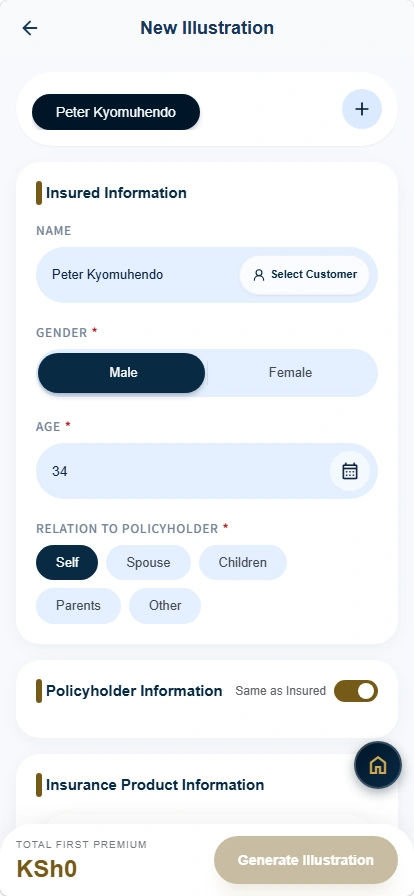
Bring client details and product selections into a structured preparation workflow.
Less repeated entry between the client record and the proposal.
Management Portal
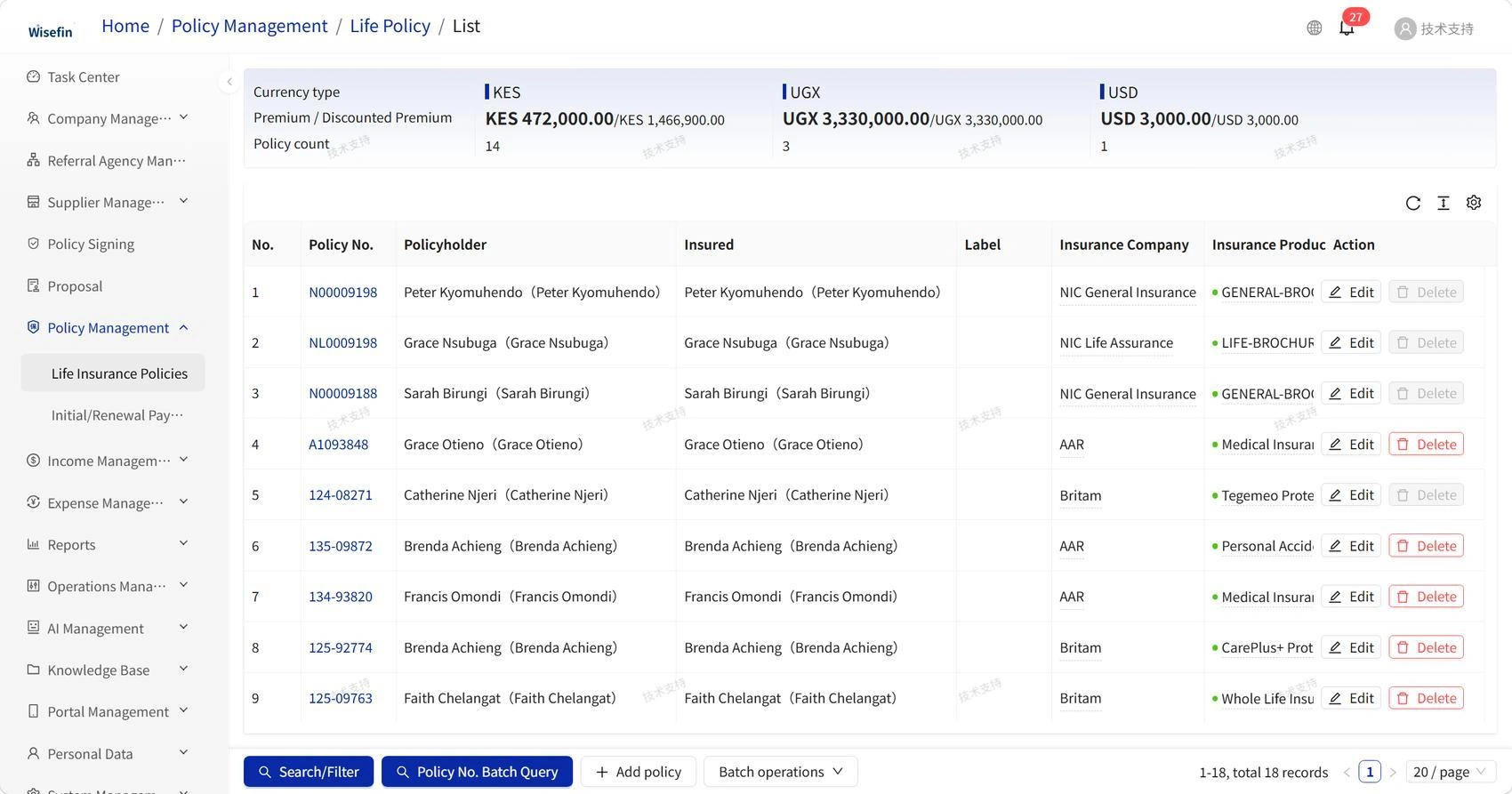
Give operations a shared view of policies, clients, premiums and status.
A searchable policy book with less information scattered across files.
Management Portal
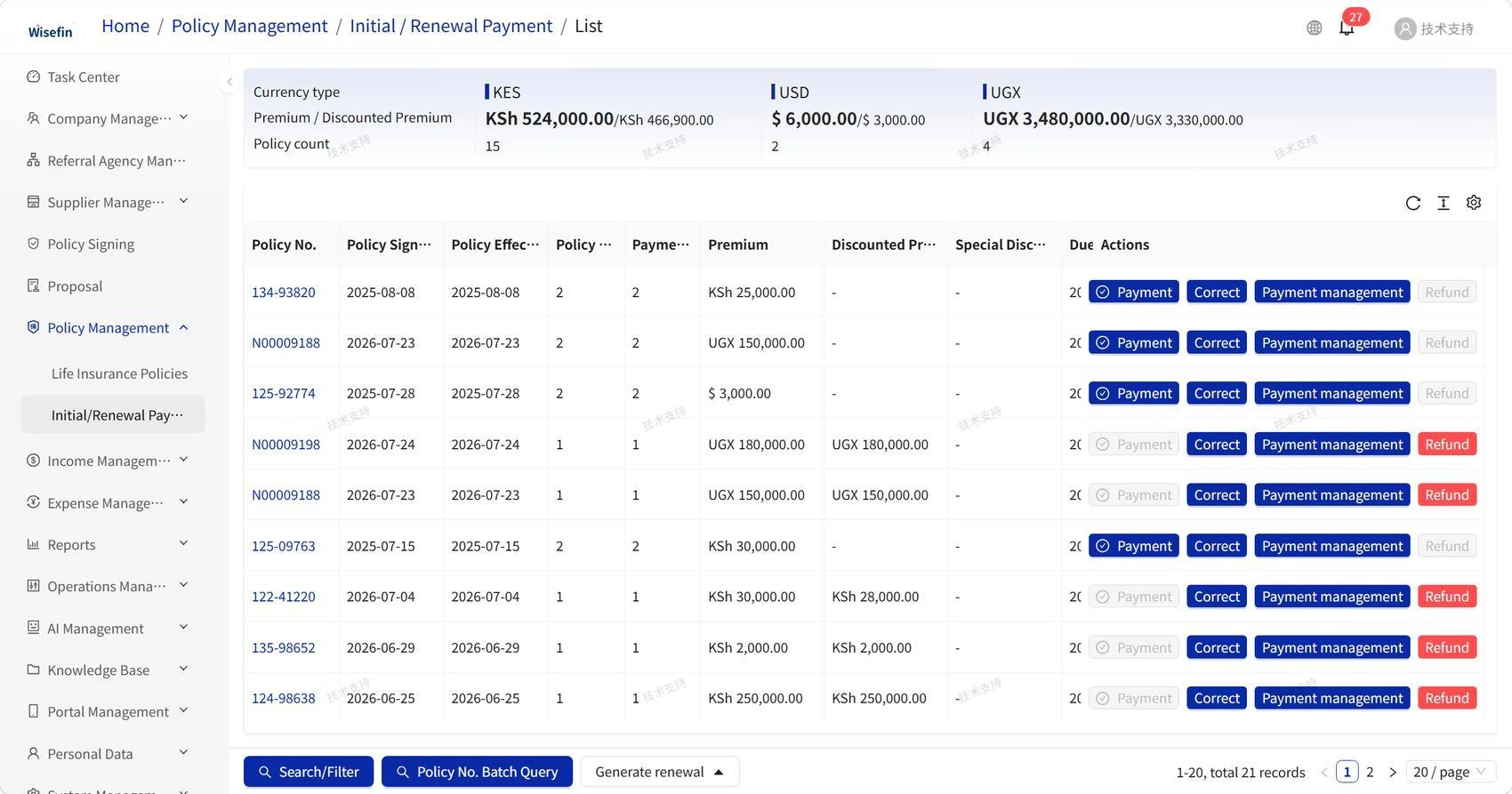
Bring payment dates and renewal status into the team’s daily operating view.
Clearer renewal visibility for proactive client service.
Management Portal
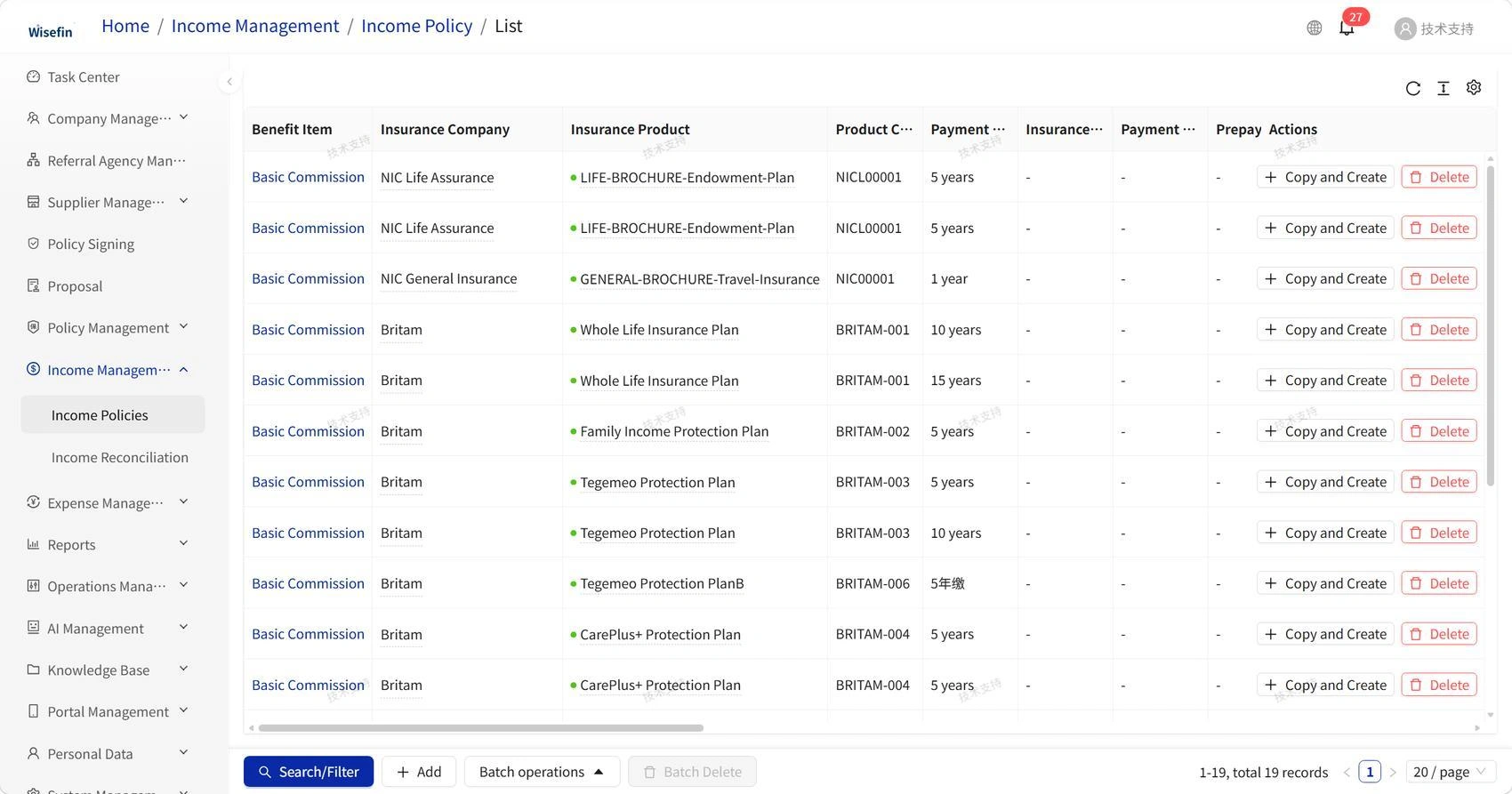
Maintain product-level income policies as the starting point for commission reconciliation.
A traceable starting point for resolving commission differences.
Management Portal
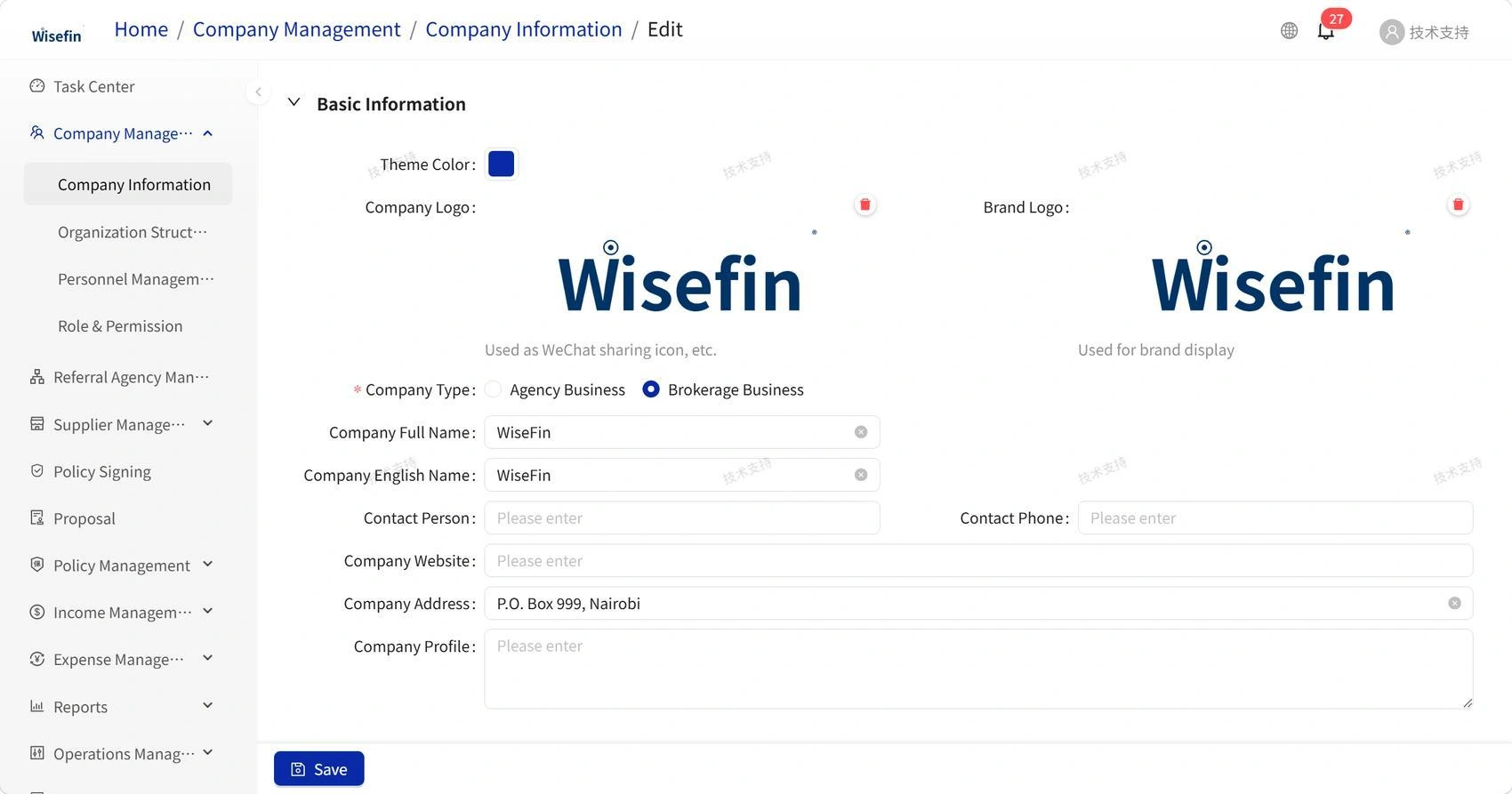
Organise branches and staff with access aligned to their responsibilities.
Clearer ownership of both the work and access to the system.
Screens are reproduced from WiseFin’s 2026 product materials. Names, figures and products are demonstration examples; their appearance does not indicate a commercial partnership. This tour does not submit applications or connect to a live insurance service. Available functions and integrations are agreed for each deployment.
A tailored walkthrough can focus on the roles, products and operating questions that matter to your organisation.
Plan a tailored demoReview proposals, policy servicing, renewals and the hand-off between sales and operations.
Discuss settlement rules, reconciliation, reporting and the records your team needs.
Explore permissions, existing-system integration and the proposed deployment model.
Explore integration